Overview
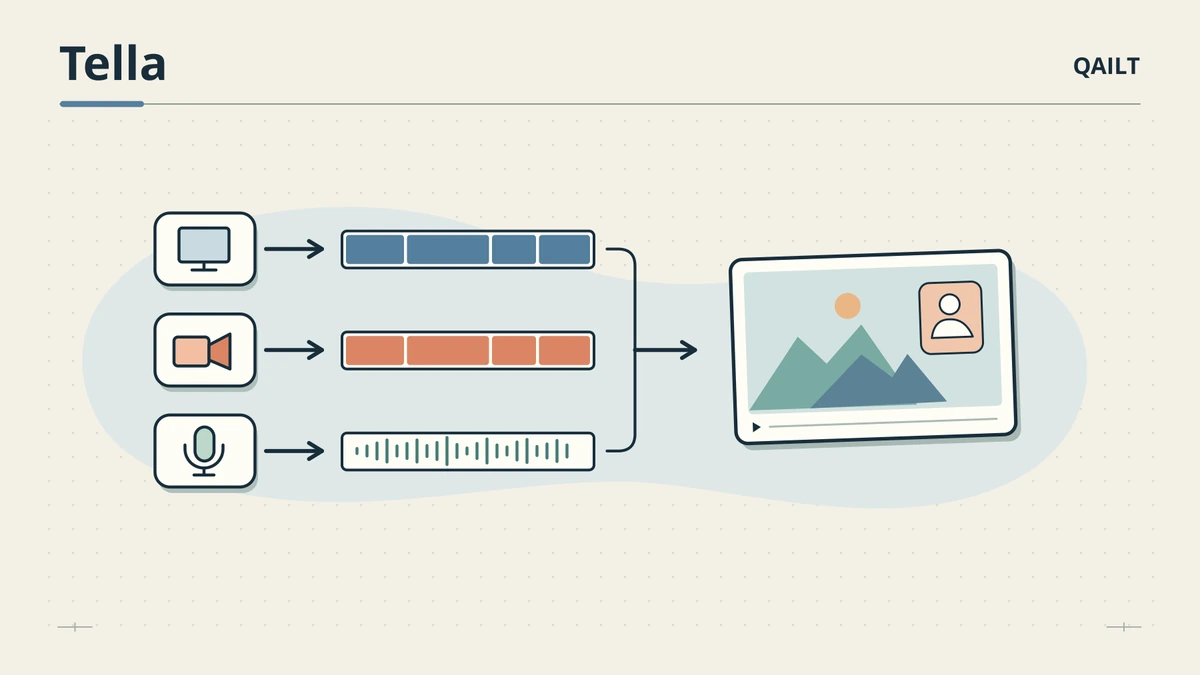
Tella records your screen, camera and audio for demos, tutorials and presentations.
Features
Adjust the screen and camera layout, edit captions, add zoom effects and fine-tune audio levels.
Benefits
Share the finished video as a hosted link or export it as an MP4 for reuse elsewhere.
Limitations
Each clip is limited to six hours. Export at 60 frames per second is available from Premium.
Who should use it
It suits trainers, tutorial creators and teams that demonstrate a product or workflow remotely.
Pricing
Tella advertises a seven-day free trial, paid Pro and Premium plans, and custom Enterprise pricing.
What makes it different
Screen and camera stay on separate tracks, so you can hide or resize the camera after recording.
QAILT’s take
Tella suits demos where you want to refine the framing and review the captions before sharing.