
Transcribe a YouTube video: choose the right access and tool
Compare YouTube transcripts, Notta URL import and Descript file workflows. Check access restrictions, language, timestamps and important passages.
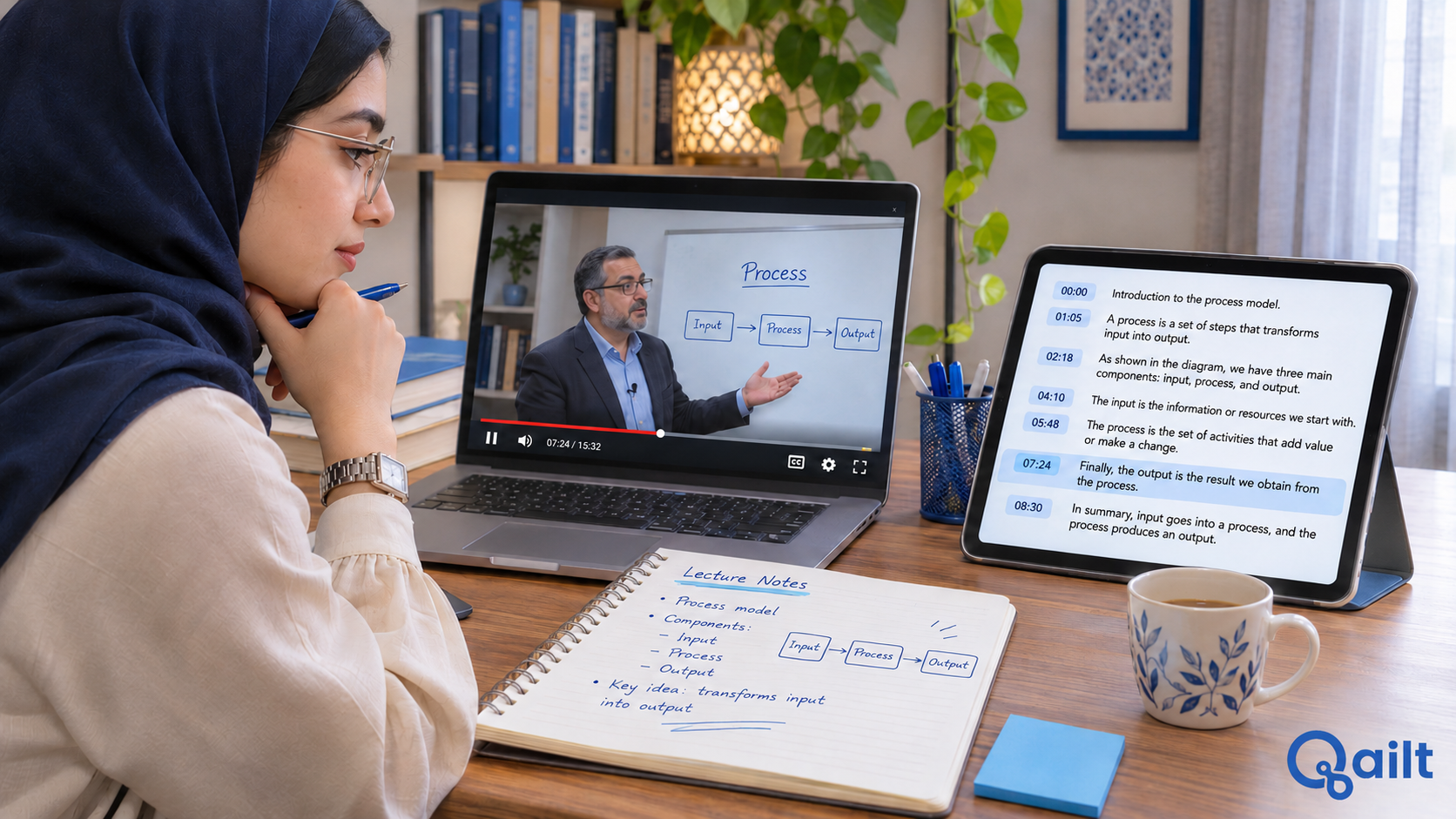
Before paying to transcribe a YouTube video, check whether its transcript is already available. YouTube’s own transcript view may be enough for reading or finding a passage. Notta offers URL import for certain public videos. Descript is better considered when you have the file and also want to edit it: its direct YouTube-link import was withdrawn.
The right choice therefore depends on access, language and the output you need rather than a universal ranking. A summary, a faithful transcript and a subtitle file are different deliverables. This guide uses service documentation; it does not claim a transcription-accuracy benchmark.
1. Check “Show transcript” first
According to YouTube Help, videos with captions can show a transcript from their description. Selecting a line jumps to that part of the video. For finding an idea or rereading an explanation, this can avoid another tool and another processing step.
Availability does not prove the words are correct. Replay names, numbers and anything you intend to quote. Record the video URL and relevant time. If the option or captions are missing, do not assume another service will necessarily be able to access the material. Your first task is to establish what source is actually available.
Choose between reading, transcription and editing
| Goal | First option | Anticipate |
|---|---|---|
| Read an already captioned video | YouTube transcript | Check errors against the audio |
| Create a transcript from a public URL | Notta Web | Excluded video types and features |
| Transcribe and edit your own video | Descript with an authorised file | Do not assume direct YouTube import |
| Create translated subtitles | Corrected transcript, then translation | Text and timing are separate checks |
2. Notta: URL import with specific restrictions
Notta’s YouTube import guide supports public videos and Shorts, but excludes livestreams, private videos and unlisted videos in this workflow. It states a five-hour limit and no speaker identification or bilingual transcription for this import. The selected language must match the video.
This matters for an interview switching between French and English: a feature available elsewhere in a product is not necessarily available for a YouTube URL. Likewise, do not choose this route primarily to download the audio; that function is not provided for records imported this way.
Before processing a long video, check access to the resulting transcript and your plan allowances. Try content you are entitled to process first. If import fails, distinguish an unsupported video from a temporary error. Repeatedly submitting the same link without identifying the cause will not solve a format restriction.
3. Descript: use a file you are authorised to handle
An announces the removal of direct YouTube URL import and directs users to file import. For your own videos, it points to downloading through YouTube Studio. Older announcements advertising link import therefore should not determine this workflow.
The Descript profile on QAILT is relevant if you also need to cut or rearrange a video. Use your original file when you have it. For someone else’s material, request a file or appropriate permission rather than bypassing access restrictions.
A local file also provides a stable reference for review. Keep its name and version with the transcript. If you edit the video afterwards, the initial transcript’s timestamps may no longer correspond to the new export. Avoid attaching an accurate transcript to the wrong version simply because the titles look alike.
What a transcript must preserve
Decide the fidelity level before starting. A working transcript may remove some hesitations for readability, but should say so. A verbatim record retains relevant wording. In both cases, separate words actually heard from comments, summaries and interpretations.
Mark uncertainty instead of supplying a plausible word. Preserve negatives, corrections and units. “Fifteen, no, fifty copies” does not mean fifteen copies: a summary may retain fifty, while the verbatim transcript keeps the correction. These differences should be deliberate, not accidental consequences of automatic cleanup.
A checking exercise using your own video
Create a short test video with this fictional wording: “The meeting starts at fourteen hundred hours. The budget is fifteen euros, not fifty. The reference is QLT-08. The first attempt failed; the second succeeded.” Pause before the reference and speak naturally. This is a proposed reader exercise, not a test already performed by QAILT.
The result must preserve 14:00, fifteen euros, the negative, QLT-08 and the distinction between the attempts. Check time markers by selecting the passage or finding it in the video. A growing offset between the beginning and end requires checking the file or edit, not just correcting words.
Then add a second voice with that person’s agreement to see how speaker changes are represented. Do not automatically attach a name to “Speaker 1”: verify it by listening. If the chosen workflow does not distinguish voices, record that limitation in the working document instead of inventing attribution.
Turn the text into notes without losing provenance
After correcting the transcript, you can produce a summary. Keep a connection between each important conclusion and its supporting passage. A summary must distinguish what the speaker asserts, considers and denies. An attention-grabbing video title is not evidence of what was actually said.
For several videos, keep a simple record of title, channel, URL, access date, language and checked passages. Do not merge transcripts while removing their origins: you would lose the ability to locate a quotation or correct an error. Make clear when you are adding your own interpretation rather than restating the speaker’s position.
Final checks before reuse
- The text matches the correct video and version.
- Important passages were replayed, not merely reread.
- Names, amounts, dates and negatives were checked.
- Unintelligible segments and uncertain speakers are marked.
- The summary is separate from the transcript.
- Rights and conditions for reusing the material are respected.
If the goal is publication in another language, continue with our guide to French-English subtitle translation. It covers export and timing. A good transcript is the starting point, not the entire task. Retain the reviewed source text so a later translation can be checked against it.
Frequently asked questions
Can every public video be transcribed from a link?
No. Each service has its own restrictions and capabilities. A video that plays in your browser is not necessarily importable elsewhere. Check the supported route rather than treating a failed link as permission to work around restrictions.
Why not ask an AI directly for a summary?
Without verified access to the content, it may answer from a title or partial information. Check what source was actually read and require locatable passages for important claims. A fluent response is not proof that the full video was processed.
Which option costs least?
Start with the existing transcript. If that is insufficient, compare the complete workflow, including export and review. Do not buy another subscription simply to locate a sentence already available on YouTube. A short, well-checked note may be enough when a full transcript would not advance your goal.
Related tools

Descript
Descript records and edits podcasts, interviews, and videos using a transcript synchronized with the audio and video tracks.
Read next

Top 10 AI tools for social media managers
Ten AI tools for social media workflows: visuals, video, writing and planning. Compare approval, formats and real campaign costs without duplicate subscriptions.
Top 10 AI tools for a podcast production workflow
Ten AI tools for podcast preparation, editing, transcription and promotion. Build a minimal workflow with audio, quotation and cost checks.

CapCut alternatives for PC: editing, captions and exports
Clipchamp, Shotcut or Resolve: test your files, vertical layouts, captions and export limits before switching from CapCut on a PC.